Connect with a USB cable
Connectable Projectors (As of 2020/2/3)
| ClassPad II (fx-CP400) |
ClassPad 330 PLUS |
fx-CG50 series |
fx-CG10/20 series |
fx-9860GIII fx-9750GIII |
fx-9860GII fx-9750GII |
||
|---|---|---|---|---|---|---|---|
| Green Slim Series | XJ-A135/V | ✔ | ✔ | ✔ | ✔ | ✔ | ✔ |
| XJ-A145/V | ✔ | ✔ | ✔ | ✔ | ✔ | ✔ | |
| XJ-A146 | ✔ | ✔ | ✔ | ✔ | ✔ | ✔ | |
| XJ-A147 | ✔ | ✔ | ✔ | ✔ | ✔ | ✔ | |
| XJ-A155/V | ✔ | ✔ | ✔ | ✔ | ✔ | ✔ | |
| XJ-A235/V | ✔ | ✔ | ✔ | ✔ | ✔ | ✔ | |
| XJ-A245/V | ✔ | ✔ | ✔ | ✔ | ✔ | ✔ | |
| XJ-A246 | ✔ | ✔ | ✔ | ✔ | ✔ | ✔ | |
| XJ-A247 | ✔ | ✔ | ✔ | ✔ | ✔ | ✔ | |
| XJ-A255V | ✔ | ✔ | ✔ | ✔ | ✔ | ✔ | |
| XJ-A256C/D | ✔ | ✔ | ✔ | ✔ | ✔ | ✔ | |
| XJ-A257 | ✔ | ✔ | ✔ | ✔ | ✔ | ✔ | |
| Standard (Signature) Models | XJ-M145A/B | ✔ | ✔ | ✔ | ✔ | ✔ | ✔ |
| XJ-M146 | ✔ | ✔ | ✔ | ✔ | ✔ | ✔ | |
| XJ-M155A/B | ✔ | ✔ | ✔ | ✔ | ✔ | ✔ | |
| XJ-M156 | ✔ | ✔ | ✔ | ✔ | ✔ | ✔ | |
| XJ-M245A/B | ✔ | ✔ | ✔ | ✔ | ✔ | ✔ | |
| XJ-M246 | ✔ | ✔ | ✔ | ✔ | ✔ | ✔ | |
| XJ-M255A/B | ✔ | ✔ | ✔ | ✔ | ✔ | ✔ | |
| XJ-M256 | ✔ | ✔ | ✔ | ✔ | ✔ | ✔ | |
| Pro Models | XJ-H1650 | ✔ | ✔ | ✔ | ✔ | ✔ | ✔ |
| XJ-H1750 | ✔ | ✔ | ✔ | ✔ | ✔ | ✔ | |
| XJ-H2650 | ✔ | ✔ | ✔ | ✔ | ✔ | ✔ | |
| Short-Throw Models | XJ-ST145 | ✔ | ✔ | ✔ | ✔ | ✔ | ✔ |
| XJ-ST155 | ✔ | ✔ | ✔ | ✔ | ✔ | ✔ | |
| Ultra Short Throw Series | XJ-UT310WN | ✔ | ✔ | ✔ | ✔ | ✔ | ✔ |
| XJ-UT311WN | ✔ | ✔ | ✔ | ✔ | ✔ | ✔ | |
| XJ-UT351WN | ✔ | ✔ | ✔ | ✔ | ✔ | ✔ | |
| XJ-UT312WN | ✔ | ✔ | ✔ | ✔ | ✔ | ✔ | |
| XJ-UT352WN | ✔ | ✔ | ✔ | ✔ | ✔ | ✔ | |
| Advanced Series | XJ-F20XN | ✔ | ✔ | ✔ | ✔ | ✔ | ✔ |
| XJ-F200WN | ✔ | ✔ | ✔ | ✔ | ✔ | ✔ | |
| XJ-F210WN | ✔ | ✔ | ✔ | ✔ | ✔ | ✔ | |
| XJ-F21XN | ✔ | ✔ | ✔ | ✔ | ✔ | ✔ | |
| XJ-F211WN | ✔ | ✔ | ✔ | ✔ | ✔ | ✔ | |
| Superior Series | XJ-S400WN | ✔ | ✔ | ✔ | ✔ | ✔ | ✔ |
| XJ-S400UN | ✔ | ✔ | ✔ | ✔ | ✔ | ✔ |
Easy to use
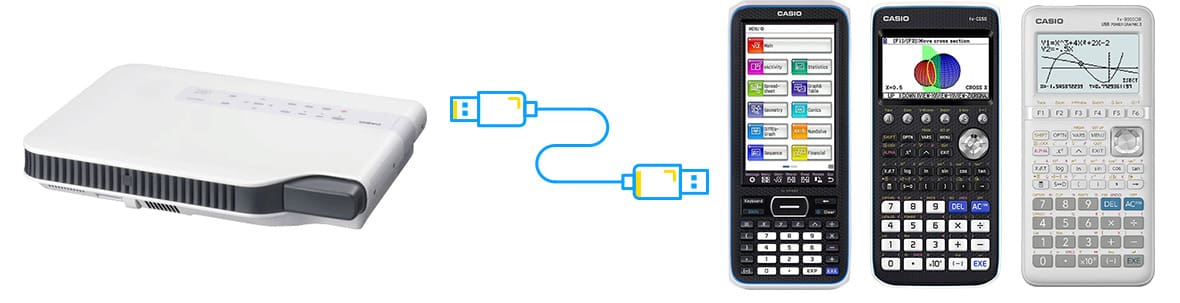
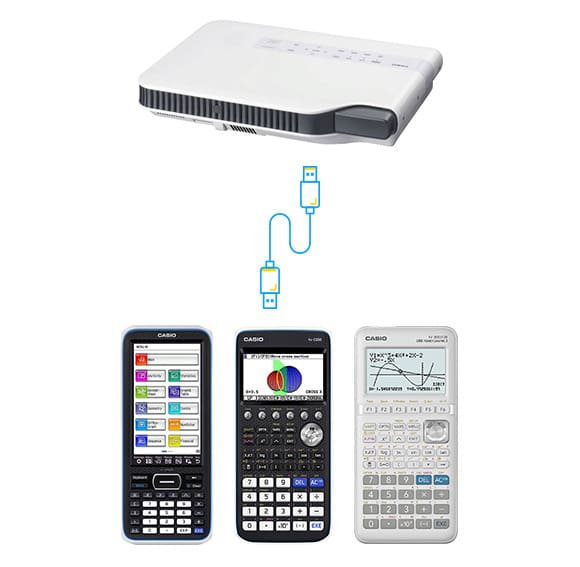
The way to display calculation processes onto a screen is only to connect a graphing scientific calculator to CASIO Data Projector with a USB cable.
Useful tools for schools
This ability to display calculation processes onto a screen in real time is useful for lectures, practical training , presentation and discussion at schools.
How to connect
for Users of ClassPad II (fx-CP400)
- USB connection procedure has been improved by the auto-detect method.
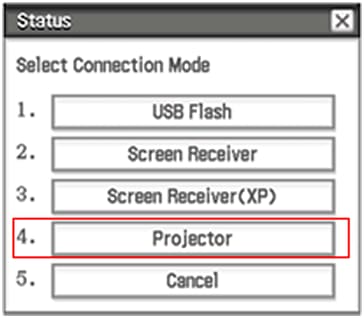
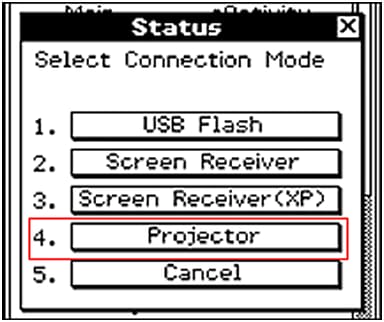
- When you connect USB cable, an pop-up windows is shown as the right picture. Press '4' key or tap "Projector" to perform this function
- It is necessary to update projector firmware for Direct connection function to CASIO projector.
for Users of ClassPad 330 PLUS
- USB connection procedure has been improved by the auto-detect method.
- When you connect USB cable, an pop-up windows is shown as the right picture. Press '4' key or tap "Projector" to perform this function
- Direct connection function to CASIO projector is for use with only ClassPad 330 PLUS.
- It is necessary to update projector firmware for Direct connection function to CASIO projector.
for Users of fx-CG10 / 20 / 50
- USB connection procedure has been improved by the auto-detect method.
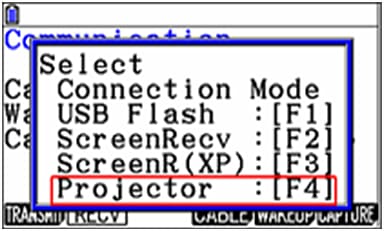
- When you connect USB cable, an pop-up windows is shown as the right picture. Press 'F4' key to perform this function.
- Direct connection function to CASIO projector is improved in fx-CG series OS 1.04 or later.
for Users of fx-9860GIII / fx-9750GIII
- USB connection procedure has been improved by the auto-detect method.
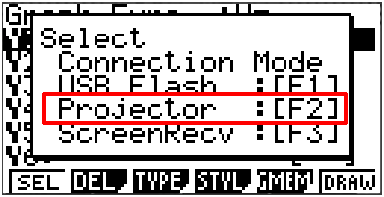
- When you connect USB cable, an pop-up windows is shown as the right picture. Press 'F2' key to perform this function.
for Users of fx-9860GII / fx-9750GII /fx-9860G series OS ver2.x
- USB connection procedure has been improved by the auto-detect method.
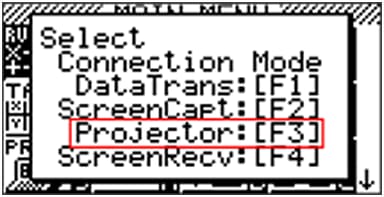
- When you connect USB cable, an pop-up windows is shown as the right picture. Press 'F3' key to perform this function.