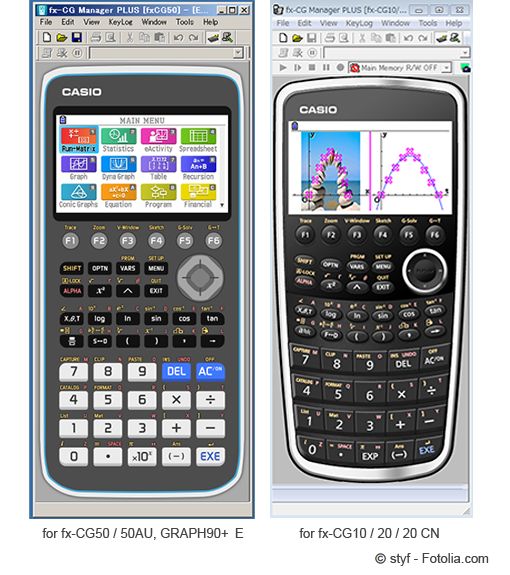
fx-CG Manager PLUS Subscription
for fx-CG Series
Supported for Windows and Mac
fx-CG Manager PLUS is an emulator of fx-CG50 series, ideal for preparing teaching materials and presenting in the classroom.
Update Information
Support and maintenance for the PC emulator will end on May 14, 2027.
If you have a license code, please complete the activation by this date.
Batch files will no longer be available after May 14, 2027.
We plan to provide an alternative emulator after May 14, 2027.
We will announce further details as soon as they are finalized.
Please update your emulator software to the latest version here.
- Compatible models
- fx-CG Manager PLUS Subscription for fx-CG50series for Windows / Mac
- fx-CG50
fx-CG50 AU
GRAPH90+ E - fx-CG Manager PLUS Subscription for fx-CG20series for Windows / Mac
- fx-CG10
fx-CG20
fx-CG20CN (Windows Only)
- The license to activate fx-CG Manager PLUS Subscription for fx-CG20series is the same as the one for fx-CG50series.
- fx-CG Manager PLUS Subscription for fx-CG20series license holders can utilize fx-CG Manager Subscription for fx-CG50series with the same license.
- After installing fx-CG Manager PLUS Subscription for fx-CG50series, you can still use fx-CG Manager PLUS Subscription for fx-CG20series.
Features
Emulator function
fx-CG Manager PLUS is software (Emulator) that emulates operation of graphing calculator fx-CG50 series on your computer.
-

Workshop
-
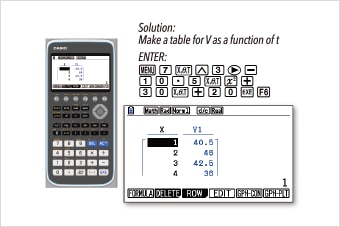
Activity
This software has almost same functions and operation as hand-held graphing calculator fx-CG50series.
This software enables teachers to prepare teaching materials (Activities) and present them in the classroom using a projector (Workshops).
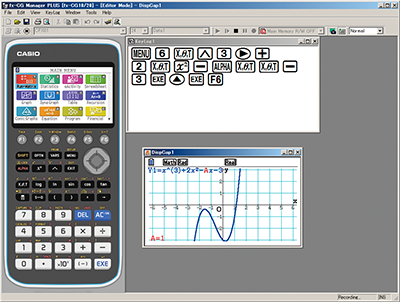
1 Emulator function for workshop
Changing the Size of the Emulator
You can change the display size.
Students can easily see the display even from the back of the classroom.
-
key size : Small
Screen size : Small
Capture Screen size : x1 -
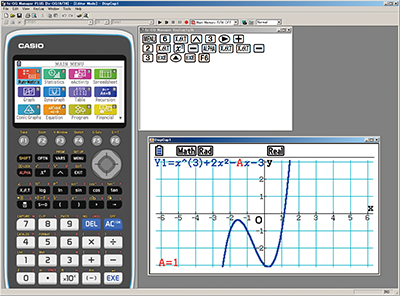
key size : Normal
Screen size : Normal
Capture Screen size : x2
2 Emulator function for materials
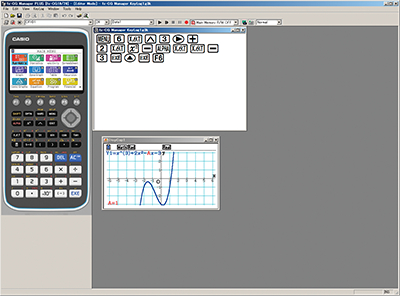
Key-Log Editor
You can record emulator key operation using Key-Log.
Keys appear in the sequence you press them.
It is very helpful tool for teaching your students how to use Emulator.
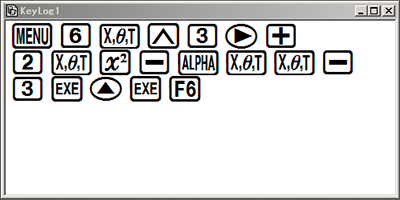
It is available to record key operations, edit Key-Log records and play back (Auto, Manual playback) saved Key-Log records.
Copy and Paste
You can copy an image of the screen into another applications.
It is extremely useful for the preparation of teaching materials.
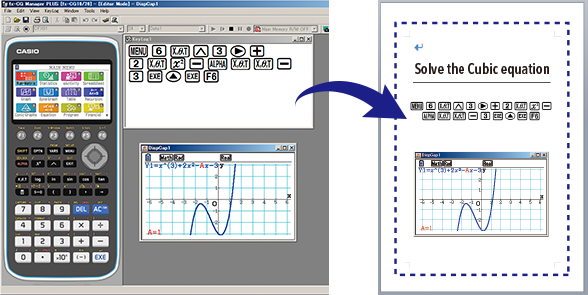
Materials
3 Auto Notification of Update
Always indicates when there is a new OS
Each time the software is activated, it automatically checks the Web and indicates when there is a new OS.

Licensing Options
- Standalone License -
A license granted to a single computer.
| FA-CG1SA | (Single License) | License expiration period: 1 year |
|---|---|---|
| FA-CG1SB | (10 Licenses) | |
| FA-CG1SC | (30 Licenses) | |
| FA-CG1SD | (100 Licenses) |
| FA-CG1-W1A | (Single License) | License expiration period: 1 year |
|---|---|---|
| FA-CG1-W1B | (10 Licenses) | |
| FA-CG1-W1C | (30 Licenses) | |
| FA-CG1-W1D | (100 Licenses) |
- Network License -
A license granted to a license server on a network.
| FA-CG1-W1I | (Single License) | License expiration period: 1 year |
|---|---|---|
| FA-CG1-W1J | (5 Licenses) | |
| FA-CG1-W1K | (10 Licenses) | |
| FA-CG1-W1L | (30 Licenses) |